I’m working on zoned storage support in XFS to enable the use of SMR HDDs and ZNS SDDs. EOS is a great use case for this, and would like to make sure that a) it works b) it performs as expected.
After adding a small patch to allow turning off fallocates, everything seems to be working fine on fairly large SMR setups - I’ve verified that I can fill up file systems overwrite all data without any issues.
Performance looks good too (as far as I can tell) with our patches that are queued up for the next kernel release.
Now I’d like to expand my benchmarking beyond my own synthetic fio-based workloads.
How do you guys make sure that the file system performance is good enough for your purposes?
What workloads do you care about when storing data on HDDs?
I imagine that you store fairly large files (GiBs?) that are then immutable, read and then eventually deleted when moved to cold storage(tapes?), but that’s just me guessing
Are there any available scripts or benchmarking tools that I could use?
Hi Hans,
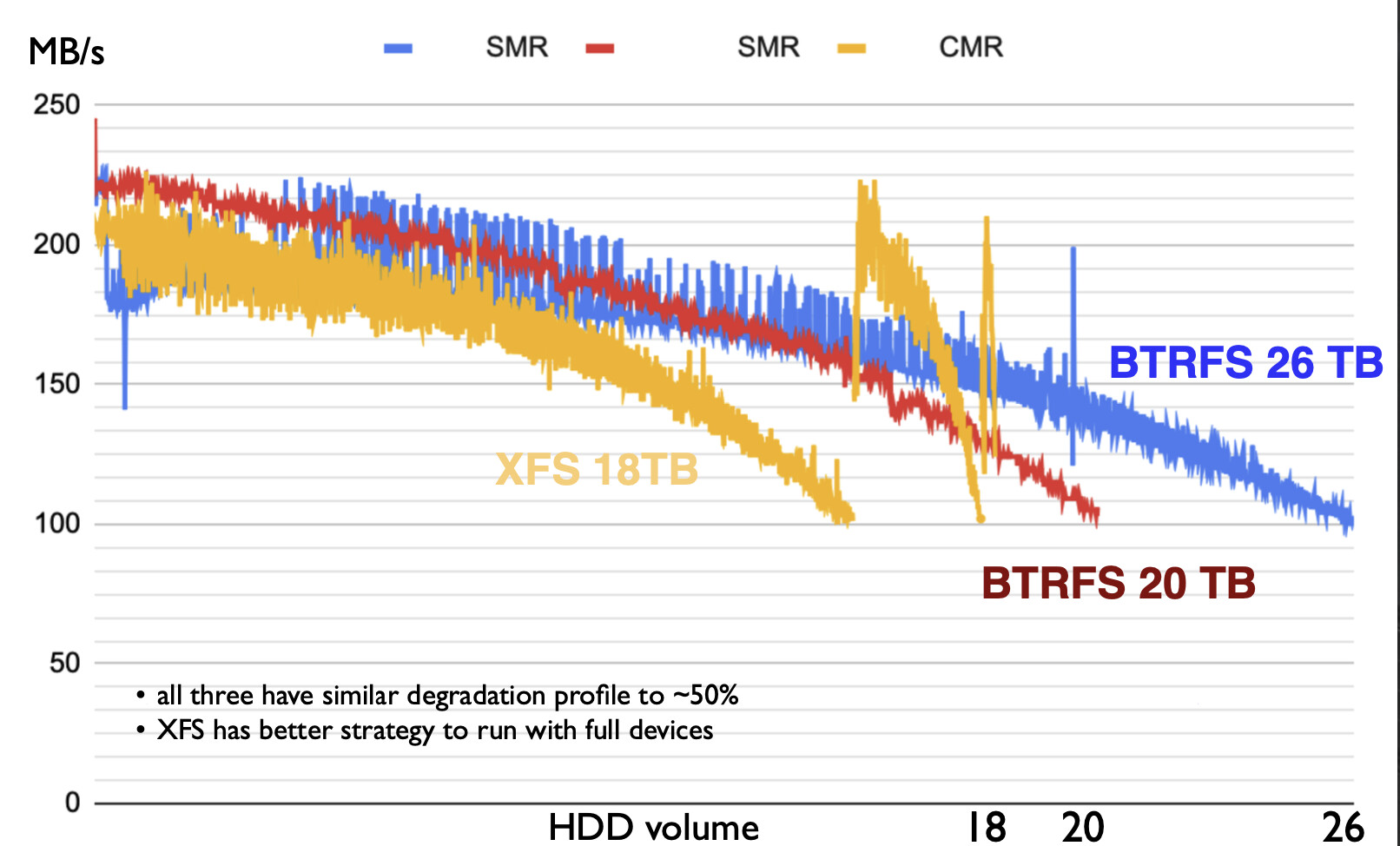
first thank you for you contribution. The benchmarks I did on SMR disks (which make BTRFS break), were relatively simple. I fill up the whole disk with 100 parallel dd commands until it is 99% full writing files around 1GB with slightly varying size. It is interesting to plot the write performance in MB/s vs. the disk fullness.
( I am not sure about my interpretation of the XFS curve )
Then I run another parallel script, which deletes randomly files and creates a new file of the same size. Our workloads are WORM, which means we don’t need updates. And reads are always forward seeking or sequential. If you want, I can try to dig out these scripts.
It is also important to see, if you can recover from a 100% fully written disk with deletion.
The xfs curve does look interesting
I’ll try to figure out what goes on there.
So you run 100 parallel dd jobs.
Do you write to a fuse mount backed by a single fst with a filesystem spanning an entire drive?
..or on a local filesystem bypassing eos?
Direct or buffered IO?
I’d be very happy if you could share your scripts so I could recreate your setup and run the benchmarks on the latest zoned xfs code.
The configuration space is quite big for eos, and when it comes to benchmarks the details often matter.
I checked with my fellow xfs hackers regardings the suprising increase in bandwidth in the end of the xfs run.
It looks like xfs first fills up allocation groups (AGs) layed out from the outer(high bw) tracks to the inner(lower bw) tracks, then jumps back towards the outside.
XFS rotates AGs based on directory, so if a small amount of data was first written to one directory and then the majority of data was written to another directory, that would explain the behavior. XFS would jump back to fill the first AG after filling up the other AGs.
Hi Hans,
I have improved a little bit my scripts. You can check-out
Just make sure, you install the dependencies mentioned in the README and then you essentially run one command:
./run-report.sh /data102 1 99
(1 is parallelism, try with 1 first, 99 is the filling state of the disk when the benchmark stops)
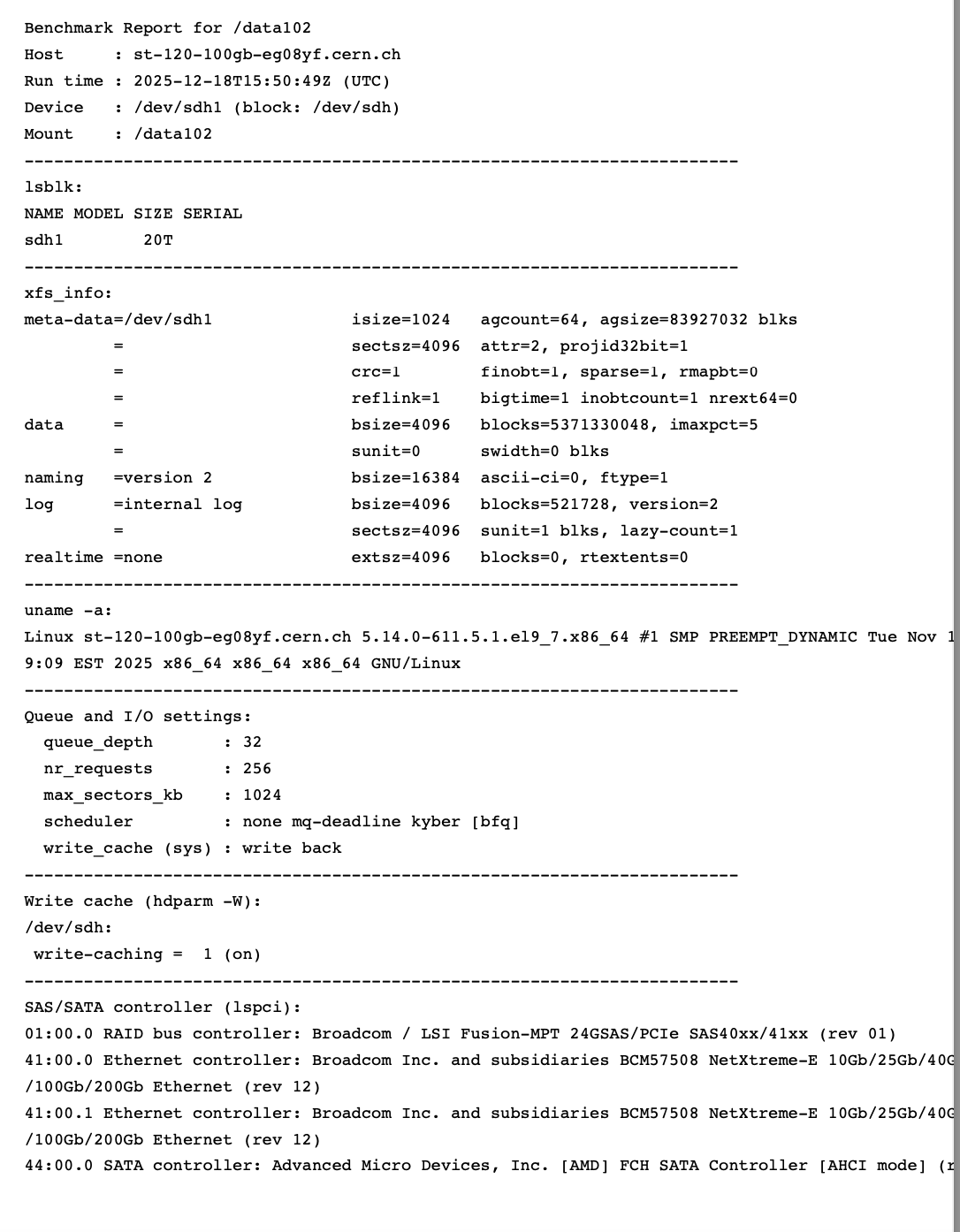
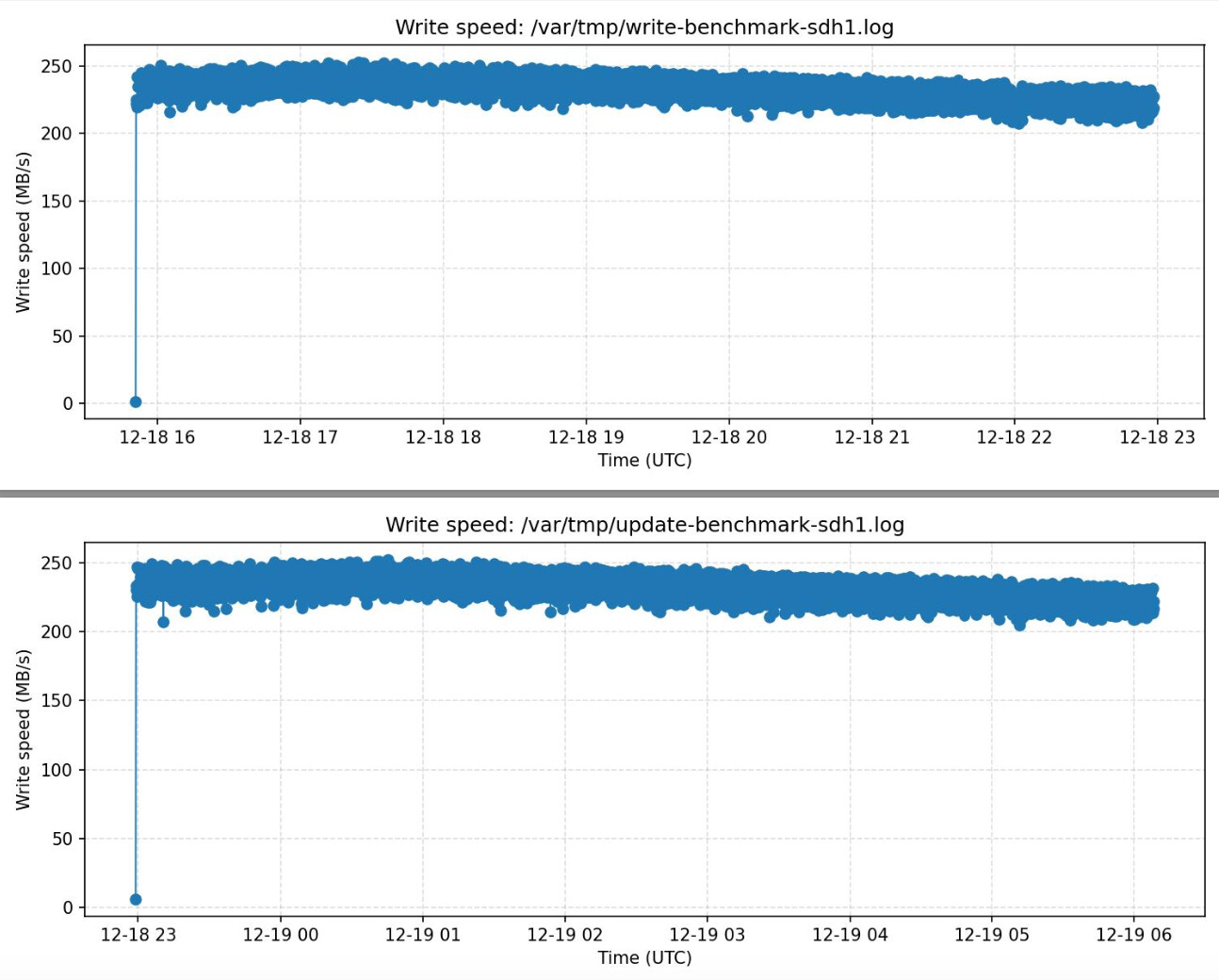
This will spit out a PDF in the end under /var/tmp/ with some generic info and two plots about the write performance, first when the disk gets filled, then when we re-place the whole contents of the disk once.
I have attached an example report here, which was running a benchmark only until 30% because I didn’t have the patience to wait two days
The update phase probably I will still change, because what it does currently is to delete always one file and then rewrite a new one of the same size. I only tested this on ALMA9, since it is all scripting you might run in some distribution specific problems with different output of certain tools / kernel.

 )
)